InboxKit's pitch: you buy cold email sending capacity, and it arrives ready to send. You do not touch Google Admin, Microsoft 365 admin, or a DNS registrar yourself for the day to day work. It sets the SPF, DKIM and DMARC records, provisions the mailbox, warms it up, and exports it into a sending tool such as Saleshandy or Instantly.
The idea that makes everything else about the platform click: domains and mailboxes are billed and managed on two separate tracks. A domain is the durable asset. Mailboxes are cheaper, disposable capacity that live on top of a domain, and get bought and assigned separately, which the actual purchase flow makes very clear once you walk through it.
1What InboxKit actually is
The account is organized into workspaces under one billing team, each with its own domains, mailboxes, warmup and wallet. An agency typically runs one workspace per client. Billing runs on a prepaid wallet of credits, with monthly renewals drawn per mailbox. Auto top up exists and is off by default, which matters later in this review.
2The dashboard, in practice
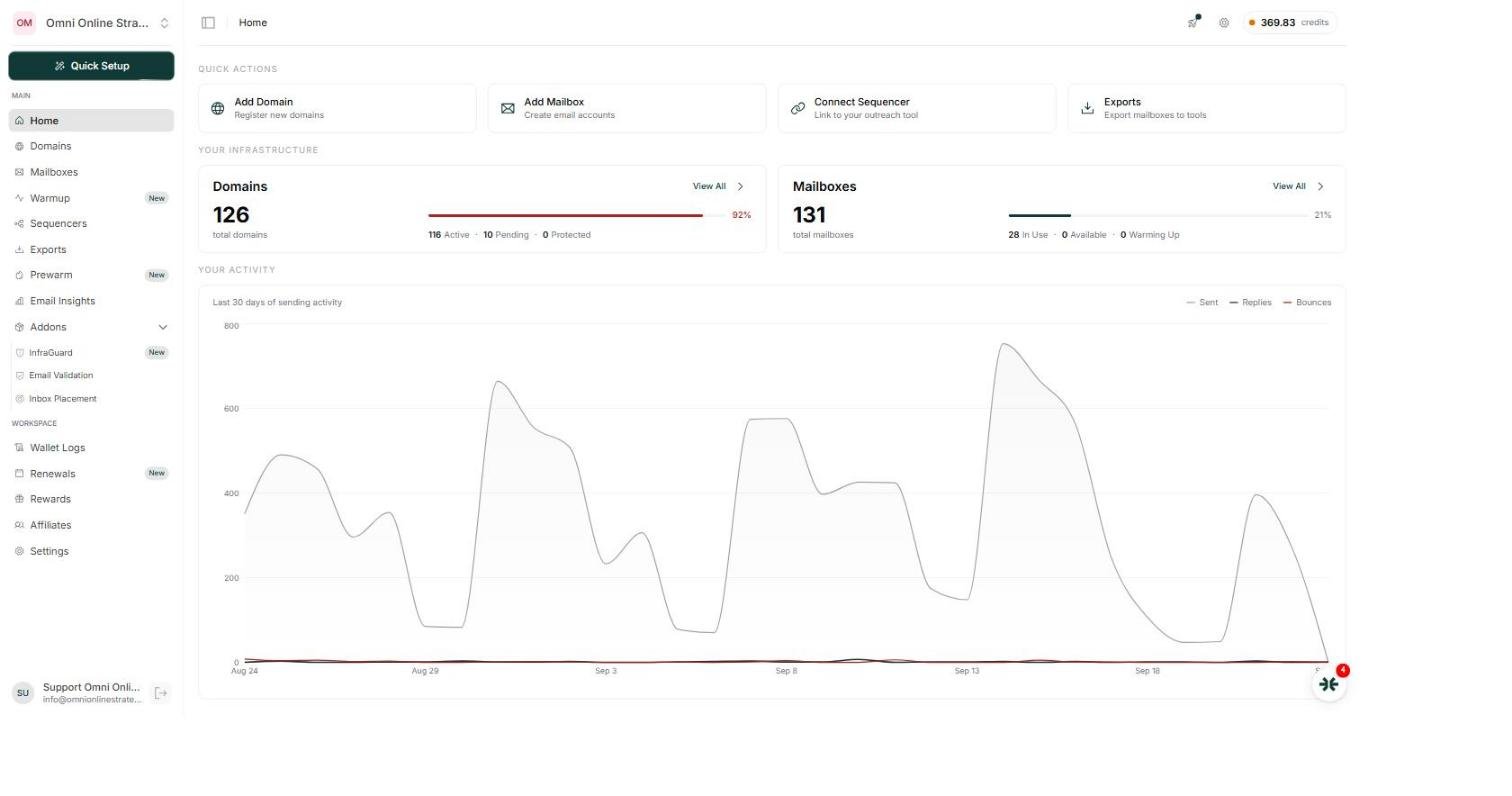
The home screen gives total domains, total mailboxes, how many are active, and a 30 day sending chart. The left navigation covers Domains, Mailboxes, Warmup, Sequencers, Exports, Prewarm, Email Insights, a set of paid Addons, and a workspace section for Wallet Logs, Renewals, Rewards, Affiliates and Settings. Opening a single mailbox shows four tabs: Overview, Credentials, Settings and Forwarding, with the sending password and app password living under Credentials, which is what lets the export into a sequencer happen automatically.
3Buying a domain vs. connecting one you already own
There are two ways to get a domain into InboxKit, and the choice has a real cost difference worth knowing before you buy.
Buying fresh through InboxKit is the simplest path. Searching a name and adding it to cart priced every .com tried during this review at $12.50, regardless of the exact name searched.
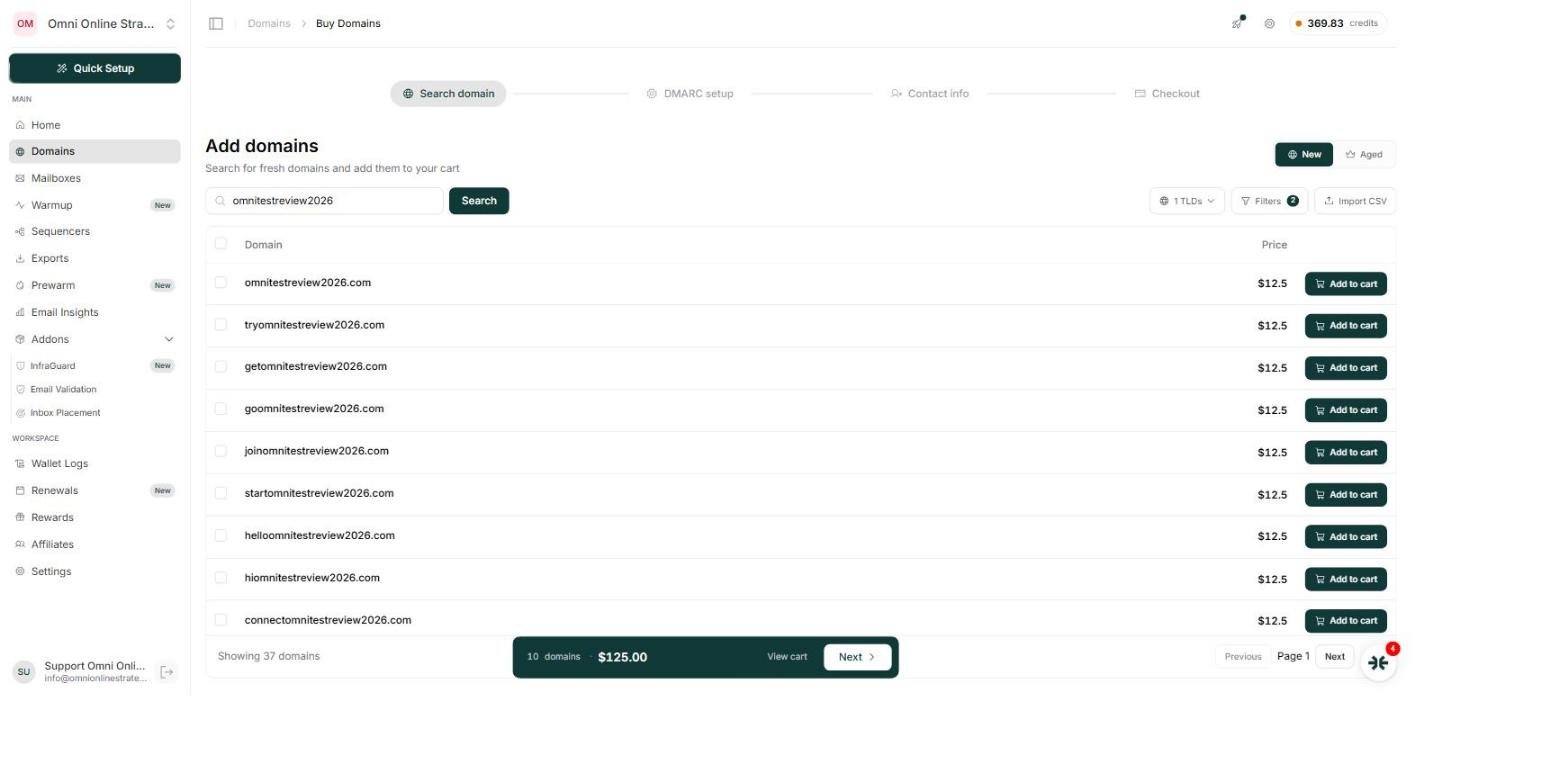
Connecting a domain you already own is the cheaper route if you are comfortable with one extra step. A .com from a registrar can often be bought for well under that price, and InboxKit will connect it, but the connection is not instant or automatic by default:
- Paste or type the domain names you want to connect, one per line
- Click Connect, which generates a set of nameservers for each domain
- Copy those nameservers and go update them yourself at the registrar where the domain was bought
- Use Check to confirm propagation, which can take 24 to 48 hours
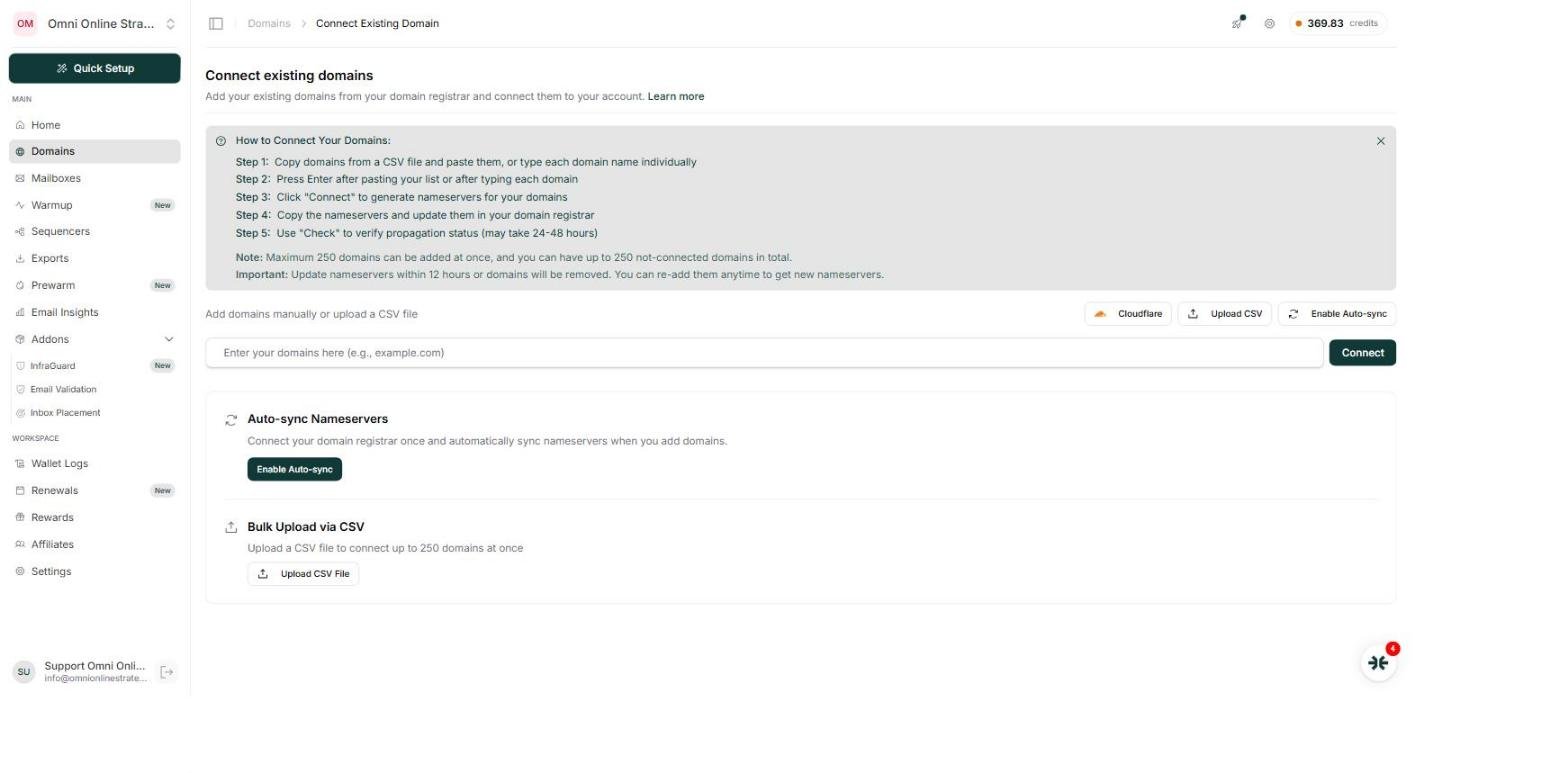
The practical takeaway: for anyone buying domains at real volume, registering cheap elsewhere and connecting is very likely the better economics, the trade is a few extra minutes per domain and a short propagation wait, against a meaningfully lower per domain cost.
4How mailboxes and domains actually connect when you buy
Mailboxes are bought separately from domains, and the purchase screen makes the relationship concrete rather than abstract. Buying a mailbox means choosing a platform, Google, Microsoft 365 or Azure, giving it a sender name and username, and then separately assigning it to a domain already sitting in the account.
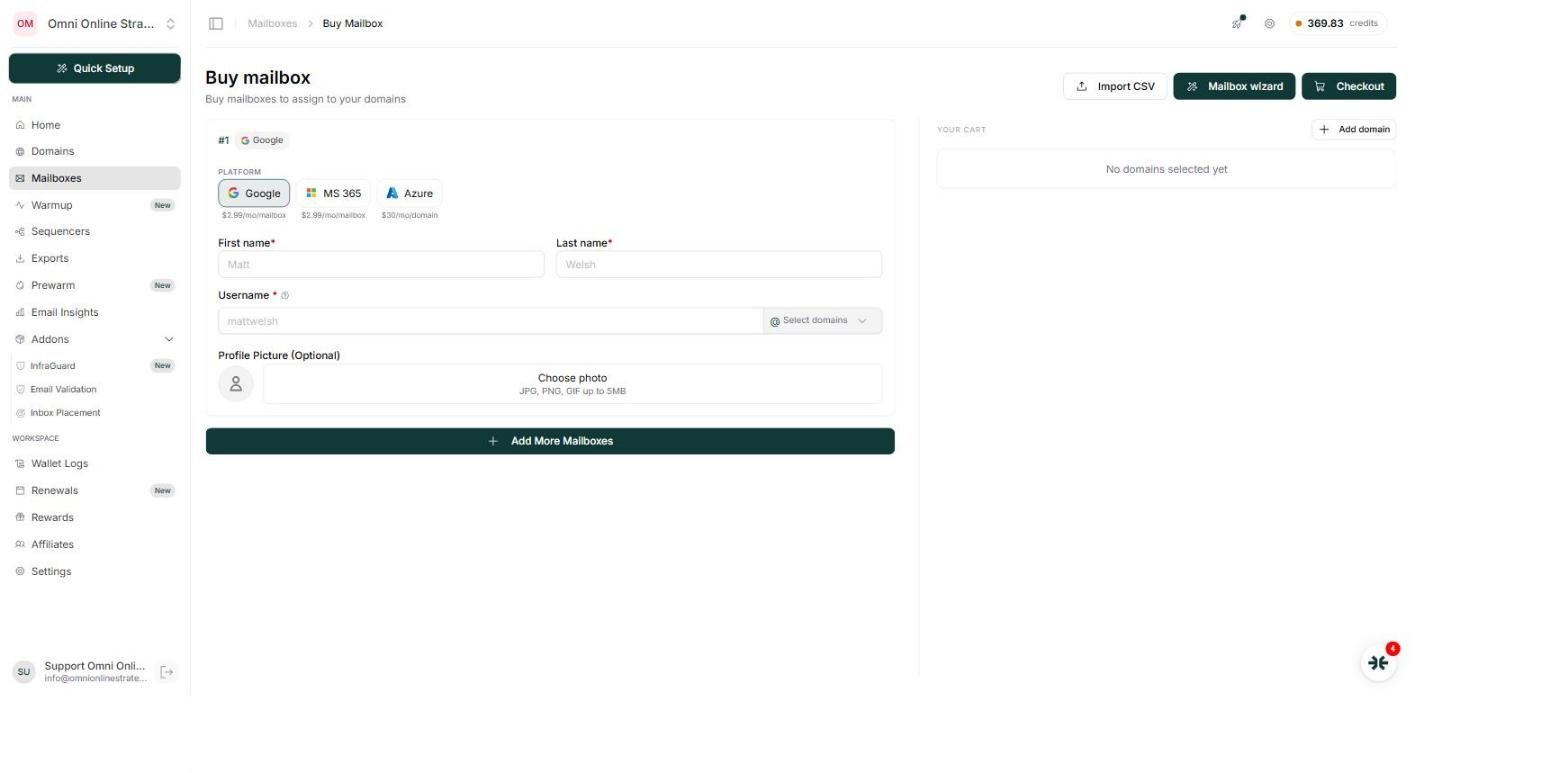
That right hand panel reading "No domains selected yet" is the whole domain and mailbox split made visible: a mailbox is not automatically tied to any one domain until you choose one from the account's existing pool, or add a new one right there. Buy five mailboxes and you can spread them across five different domains, or stack them on one, entirely your call at purchase time.
5Pricing, verified live against a real account
Two ways to pay apply here. A straight pay as you go wallet where mailboxes renew monthly out of a credit balance, and fixed subscription plans that bundle a number of mailbox slots into one price. An account can run on the wallet alone with no subscription at all.
The subscription plans, pulled live from the account used for this review:
| Plan | Monthly | Quarterly | Yearly | Included | API access |
|---|---|---|---|---|---|
| Professional | $39 | $105 | $372 | 10 Google slots, 5 team members | Not included |
| Agency | $99 | $270 | $972 | 30 Google slots, 10 team members | Not included |
| Enterprise | $299 | $870 | $3,000 | 100 Google slots, unlimited members | Full API + webhooks |
6The MCP and API: what you can actually get
The programmatic surface is broad, and for read heavy work, auditing an account, checking health, reconciling billing, it is fast and precise.
Reliable in hands on use
- Workspace and domain listings, with per workspace mailbox status and sequencer assignment
- Per mailbox health scores and a healthy / warning / critical classification
- High bounce mailbox detection against a threshold near 7%
- Inbox placement testing and a deliverability monitoring addon called InfraGuard
- Warmup subscription control and a separate Prewarm pool of inventory that is already warmed
- Wallet balance, auto top up status, and subscription detail
- DNS record management, nameserver settings, Cloudflare connection, forwarding, signatures and webhooks
- Buying and cancelling mailboxes, and exporting a mailbox into a sequencer with credentials attached
Where the API could be better
- Workspace visibility is incomplete. In this review the API returned only three workspaces for an account whose dashboard showed roughly ten, and it left out the account's own primary workspace entirely
- No self serve retry for a failed renewal anywhere in the API or dashboard, which routes that moment to a support ticket
- The health endpoint only reports mailboxes with activity in roughly the last 7 days, so idle mailboxes quietly drop out of it
- A documented health status filter parameter had no visible effect during testing
- Full mailbox list payloads can exceed practical size limits; status filtered counts work better than listing everything at once
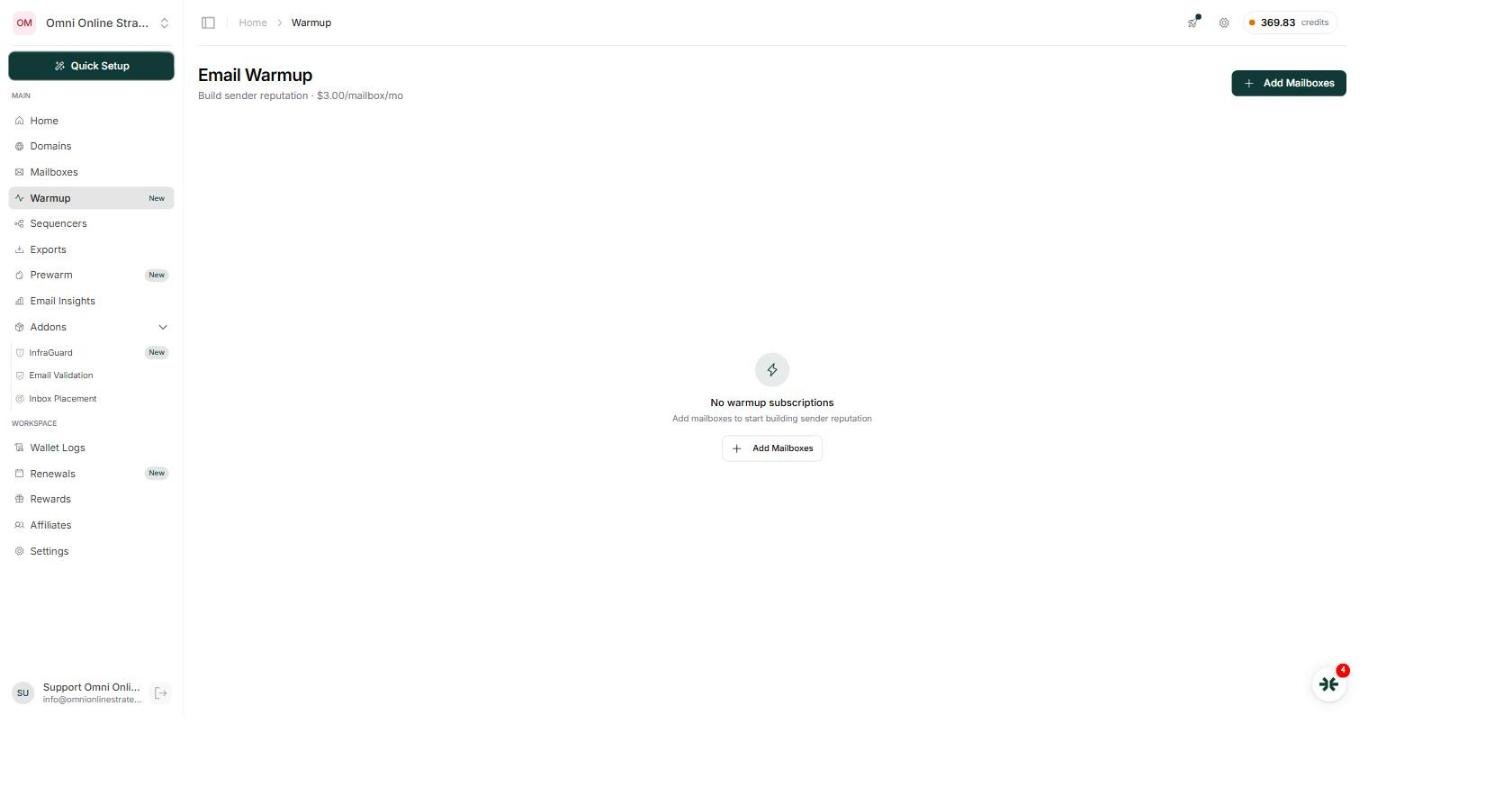
- There is no paused status for a mailbox itself. Pause applies to warmup, which is easy to conflate with the mailbox status
Not sure you want to manage all of this yourself?
Domain connections, DNS records, warmup schedules and renewal wallets are exactly the kind of infrastructure we run for clients every day. We will set it up, keep it warmed, and make sure nothing quietly lapses.
Book a Free Cold Email and Deliverability Consultation →7The renewal lifecycle, and the one thing to watch
Because renewals are billed per mailbox and drawn from one shared wallet, a low balance does not fail cleanly, it cascades. A whole month of renewals can fail on the same date, opening a 10 day window to fix it before those mailboxes, warmup included, are gone for good.
One workspace reviewed here had 131 mailboxes on record, and only 28 active. The rest: 43 cancelled, 57 in renewal failed, 3 scheduled for cancellation. The 57 failures traced to one cause, the wallet ran low with auto top up off, so a full month of renewals failed together. Because domains bill separately, every domain survived, only the mailboxes were lost, exactly as the domain and mailbox split implies.
The one screen worth watching closely:
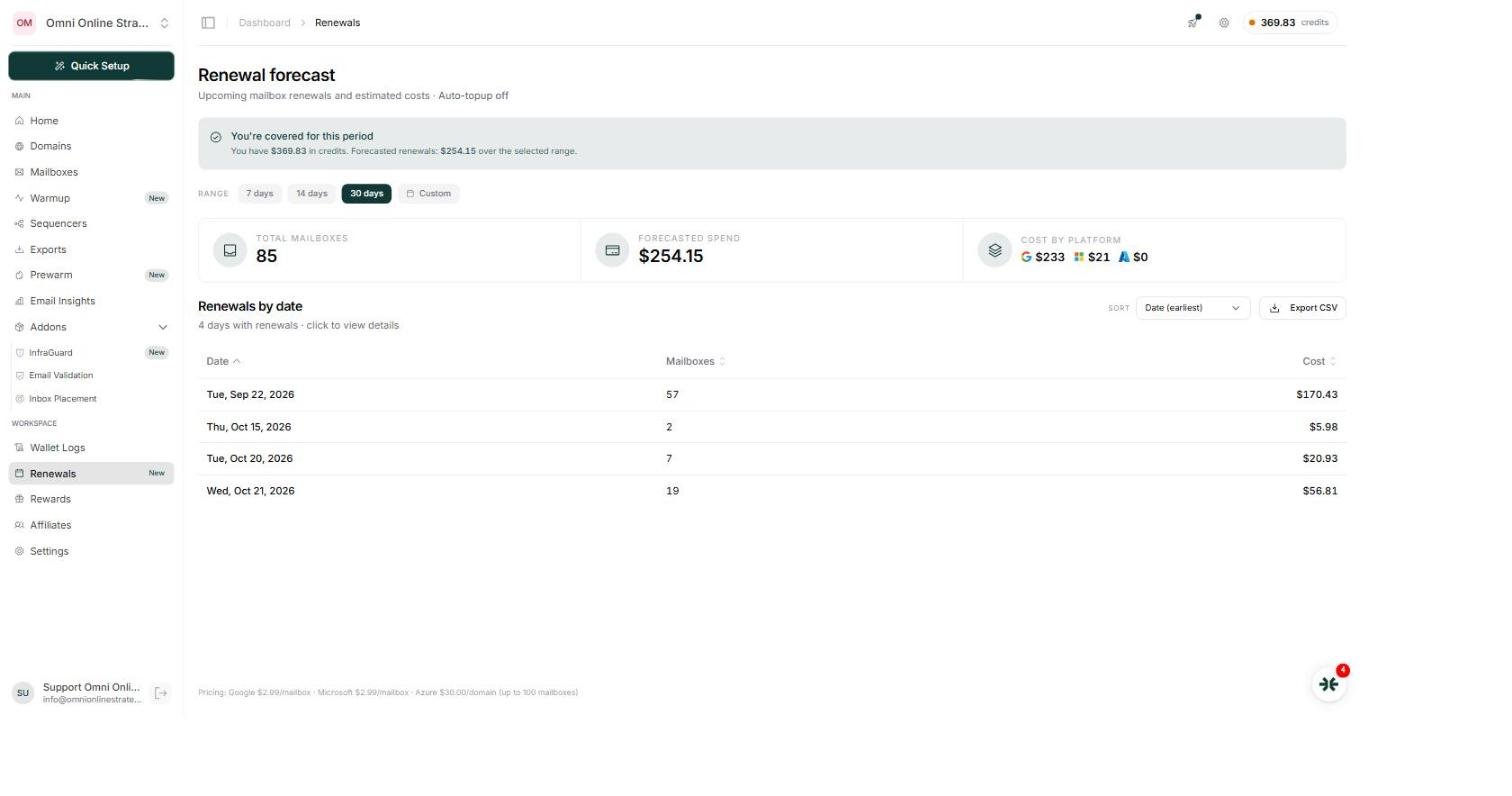
The Renewals forecast plans forward from today, it does not look backward. Add credit after a batch of renewals has already failed, and the page will say "you're covered for this period," while the mailboxes that already failed sit untouched, still counting down to deletion. That gap between what the page implies and what it actually does is the one detail in this whole platform worth setting a calendar reminder around, or simply turning auto top up on.
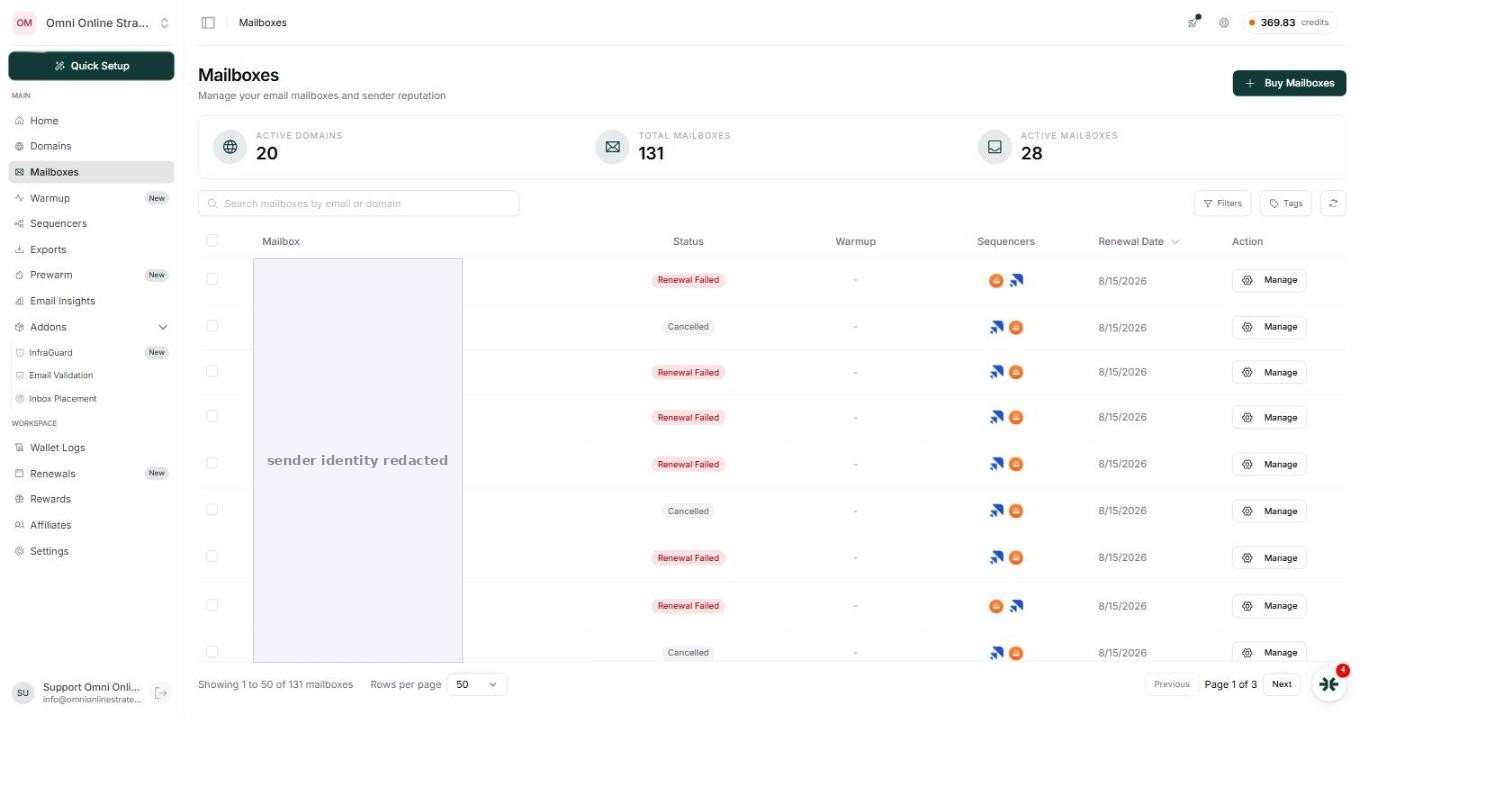
When a batch does hit the 10 day cliff, support offers two paths: delete the dead mailboxes and buy new ones on the same domains, or convert the survivors to a different platform as they are, keeping the domain and address but switching platform. Either way the domain survives. Neither restores the warmed reputation already built, which is the real cost of a missed renewal, not the $2.99, but the weeks of warmup that have to be run again.
8Google, Microsoft and Azure
InboxKit provisions on all three. Worth knowing from running a mixed fleet: Google mailboxes were noticeably more prone to disconnection, with a share falling offline behind Google's own security lock that demands an interactive login before it will accept sending again, an abuse prevention behavior on Google's side rather than an InboxKit issue, but one that directly affects anyone buying Google infrastructure at volume. Microsoft mailboxes on the same account held up more consistently. The built in option to convert a Google mailbox to Microsoft on the same domain is a practical response to exactly this pattern.
9The honest verdict
Where InboxKit earns its price
- Removes the genuinely tedious work: domain registration, DNS, mailbox provisioning, warmup, and the handoff into a sending tool
- Clean domain and mailbox separation protects the durable asset when mailboxes lapse
- Multiple workspaces under one account fit an agency managing many clients
- Three platforms with a sensible conversion path between them
- The sequencer export, credentials included, is the strongest part of the product
What could be optimized
- The wallet plus a per mailbox renewal plus a 10 day deletion cliff needs active monitoring to be safe
- A self serve way to retry a failed renewal would remove a real friction point
- API completeness could improve: workspace visibility, the health filter, activity only health data
- Full API access sitting behind the $299 a month plan is worth knowing up front
- The Renewals forecast could be clearer that it does not cover renewals that already failed
The short version: InboxKit is strong infrastructure, and the convenience is real. It works best treated as a monitored, mission critical system rather than something to set and forget, turn on auto top up, or check the wallet regularly, and know that a missed renewal starts a 10 day clock. Buy the convenience, and keep an eye on the lifecycle.
Get a Free Cold Email and Deliverability Consultation
If reading this made your outbound infrastructure sound like more than you want to manage, that is exactly what we do. We will look at your current setup, or help you build one from scratch, domains, mailboxes, warmup, DNS, deliverability, all of it, and tell you plainly what needs fixing.
Book Your Free Consultation →